Getting Started
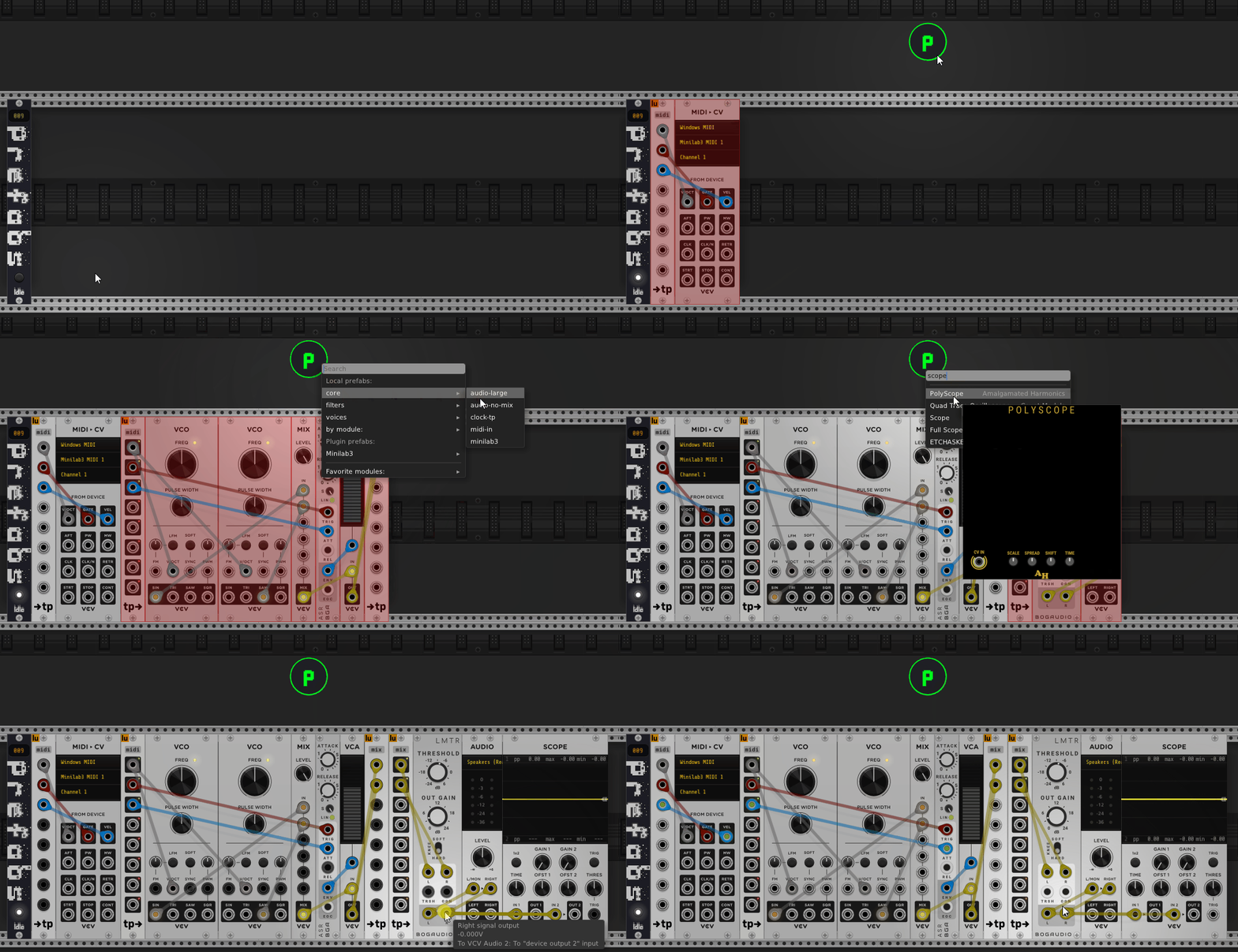
Prefabs is a plugin for VCV Rack 2 that streamlines patching. Save any selection of pre-wired modules as a reusable prefab, browse your prefabs, patches, and the entire module library from a single menu, and drag what you need into any patch in seconds.
The plugin ships one module: Prefabs — browse, save, and load reusable module prefabs and patches.
Installing
Prefabs is distributed directly — it is not on the official VCV Library.
Prebuilt plugin (recommended)
- Download the latest
.vcvpluginfrom the GitHub releases. - Drop it into your Rack 2 user plugins folder:
- Windows —
%LOCALAPPDATA%\Rack2\plugins-win-x64\ - macOS —
~/Library/Application Support/Rack2/plugins-mac-x64/ - Linux —
~/.local/share/Rack2/plugins-lin-x64/
- Windows —
- Restart VCV Rack. The module appears under the Prefabs brand.
Building from source
You’ll need the Rack 2 SDK and a C++20 toolchain.
export RACK_DIR=/path/to/Rack-SDK

git clone --recursive https://github.com/dustinlacewell/vcv-prefabs.git
cd vcv-prefabs

make
make install
The --recursive flag pulls the submodules the plugin depends on: dep/yui (the declarative UI library), dep/efsw (file watching), dep/date, dep/svghelper, and dep/jansson.
The basic workflow
The whole point of Prefabs is to turn a patch you’ve already built into a reusable building block. The loop has two halves.
Save a prefab
- Add the Prefabs module to your rack (right-click the rack → Prefabs → Prefabs).
- Build and wire up some modules the way you like them.
- Box-select that group of modules.
- Right-click the Prefabs widget and choose Save selection as prefab. Give it a name (and optionally a group/tag).
The selection — modules, their parameters, and the cables between them — is stored as a prefab on disk.
Load a prefab
- Right-click the Prefabs widget to open its cascading menu.
- Browse to your saved prefab (by group, tag, module, or plugin), or start typing to search.
- Click the entry to insert it at the mouse, or drag it onto the rack to place it precisely.
That’s it — your pre-wired group drops straight into the current patch.
From here, dig into the Prefabs module for the full menu, search, favorites, and settings.